The problem
Flatmates change. Furniture stays.
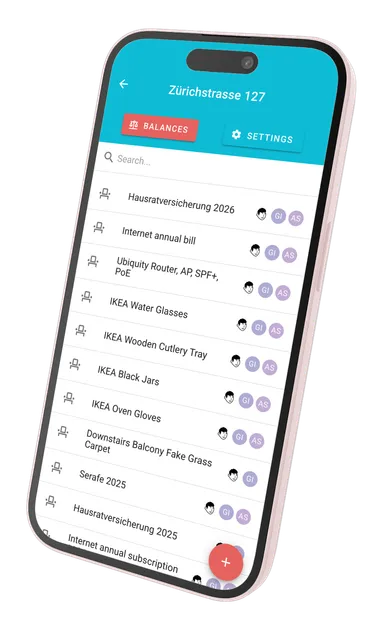
In 2019, I set up a new flatshare in Zurich. The apartment was large, empty, and needed to be fully furnished. My flatmates and I invested several thousand CHF together and split all costs equally.
Like most flatshares, people didn’t stay forever. When someone eventually moved out, there was no fair way to compensate them for the money they had invested in shared furniture. They either had to accept the loss or negotiate informally with the next person moving in.
This created a few clear problems:
- Furniture was paid upfront but used over many years
- Flatmates changed regularly
- There was no objective way to calculate a fair buy-out
- Manual calculations and negotiations created friction
I wanted a solution that was transparent, fair, and easy to apply every time.
The idea
Treat furniture as a depreciating shared asset.
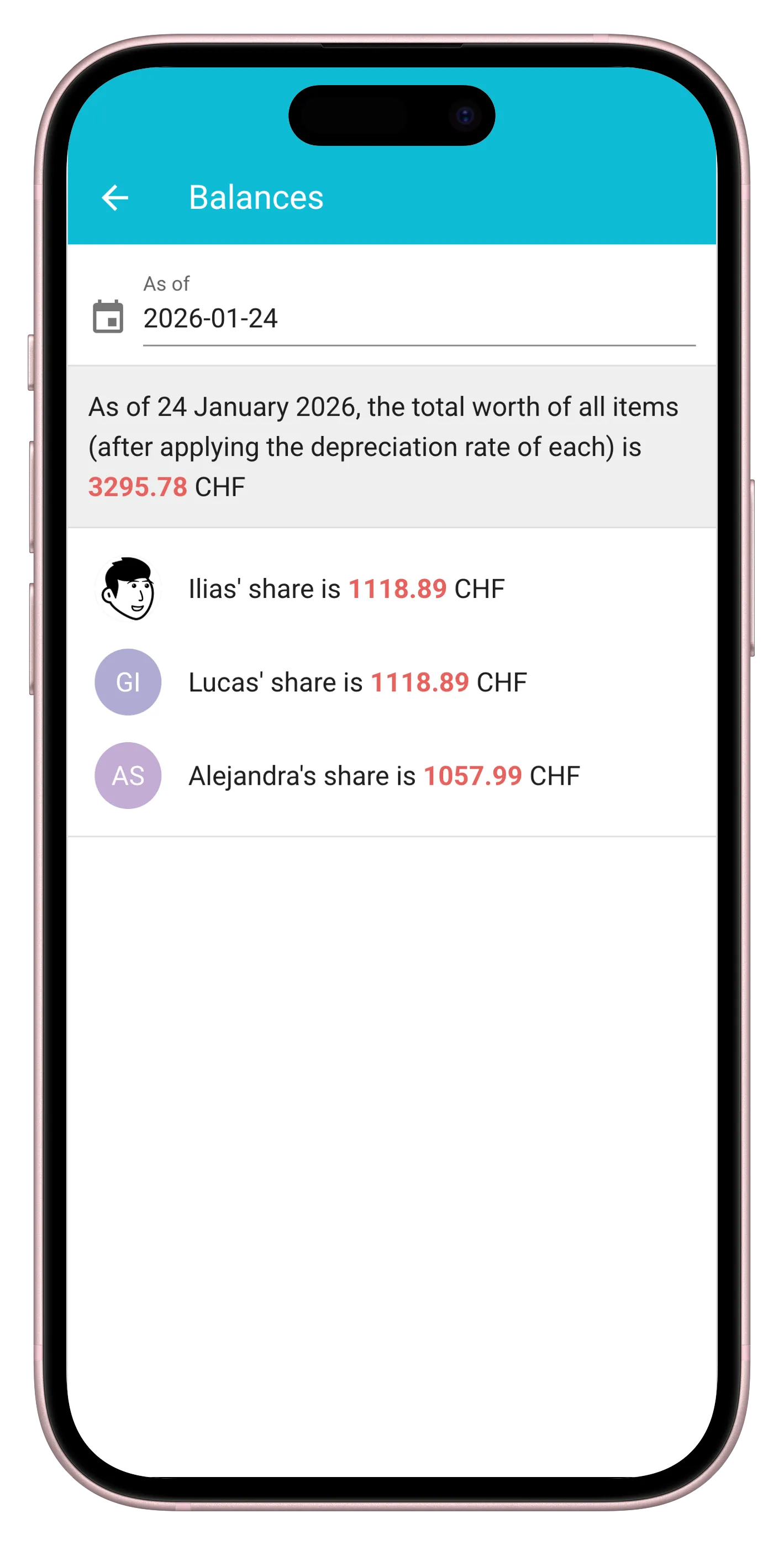
Instead of seeing furniture as a sunk cost, I treated it as a shared investment that loses value over time.
Each flatmate contributes the same initial amount.
The total value depreciates at a fixed yearly rate.
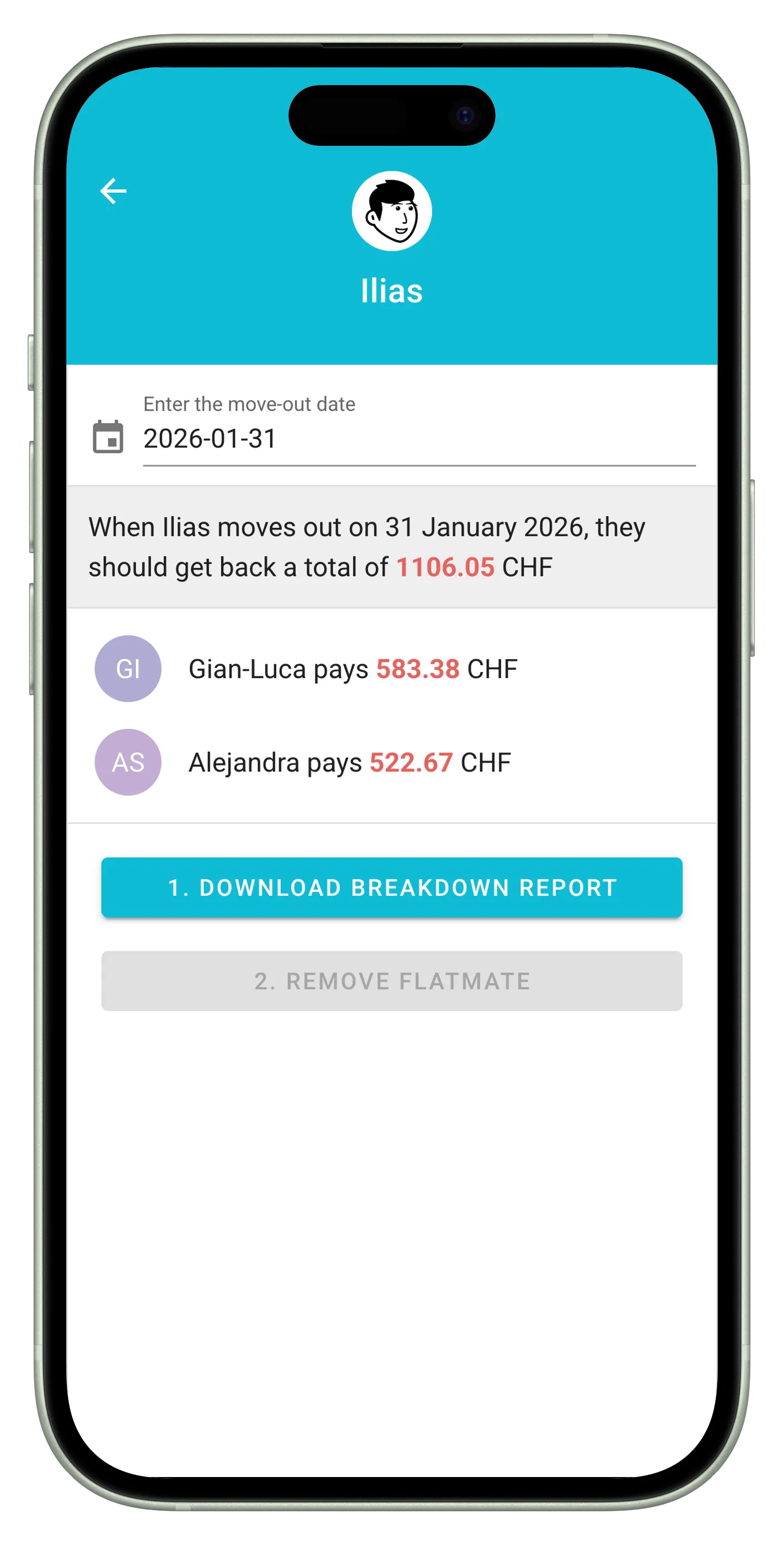
When someone moves out, the incoming flatmate buys their depreciated share.
Example:
- Initial investment per flatmate: 2’000 CHF
- Annual depreciation: 20%
- Move-out after 1 year → payout: 1’600 CHF
The rules are simple, predictable, and agreed upon upfront. No negotiation needed.
Technical implementation
Learning a modern frontend framework by building something real.
I built the app from scratch using Vue.js, deliberately choosing a framework I had only scratched the surface of while working at Station AG [TODO: link to experience page] in Zurich. At the time, my frontend experience was mostly limited to vanilla JS, jQuery and some Preact.
To support real usage beyond a single device or session, I also implemented a backend using Firebase.
- Framework: Vue.js (with Vuex, Vue Router)
- UI library: Material UI (through Vuetify)
- Backend: Firebase (Firestore + Auth)
- Architecture: Single-page application with Firebase for authentication and database
The architecture is intentionally simple, but complete enough to behave like a real product rather than a prototype.
Challenges and solutions
Making changes safely once the app was in real use.
Once the app was in active, day-to-day use, the main challenge shifted from building features to not breaking something that people relied on. I was especially concerned about two risks:
- Pushing changes directly to production without proper testing
- Accidentally corrupting shared data stored in Firestore
At that point, treating the app like a “side project” was no longer acceptable.
Staging environment
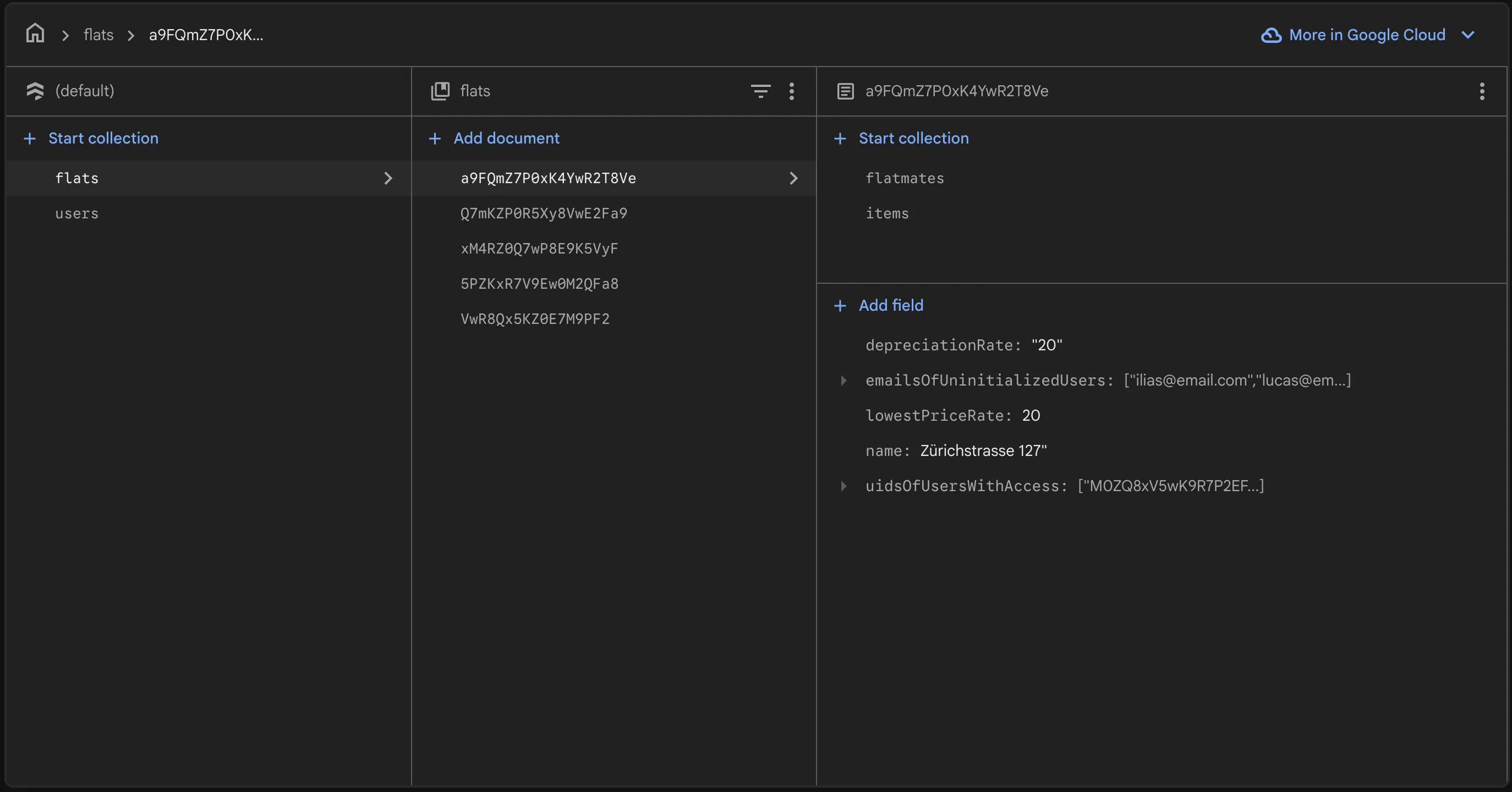
To reduce risk, I introduced a staging environment that mirrored production as closely as possible.
- A separate Firebase project for staging
- The same Firestore data model
- The same Firebase Security Rules, cloned and tested before release
- All changes deployed and validated in staging first
Only once I was confident that authentication, authorization, and data integrity behaved as expected would I deploy to production. This gave me confidence to continue improving the app without putting existing data at risk.
Protecting the data
To further reduce the blast radius of mistakes, I also implemented regular database backups.
- Scripts that periodically exported Firestore data
- Backups stored locally on my machine
- Ability to restore data manually if needed
This turned “fear of data loss” into a manageable, controlled risk.
It was a practical lesson in the difference between writing code and owning software in production.
What I learned
Deepening frontend experience.
This project didn’t change how I approach software. That shift had already happened years earlier when I built the ESN Webmanager for the student organization I volunteered for as a board member.
Instead, this project helped me extend and deepen those foundations in a new technical context. It forced me to learn:
- Component-based UI design
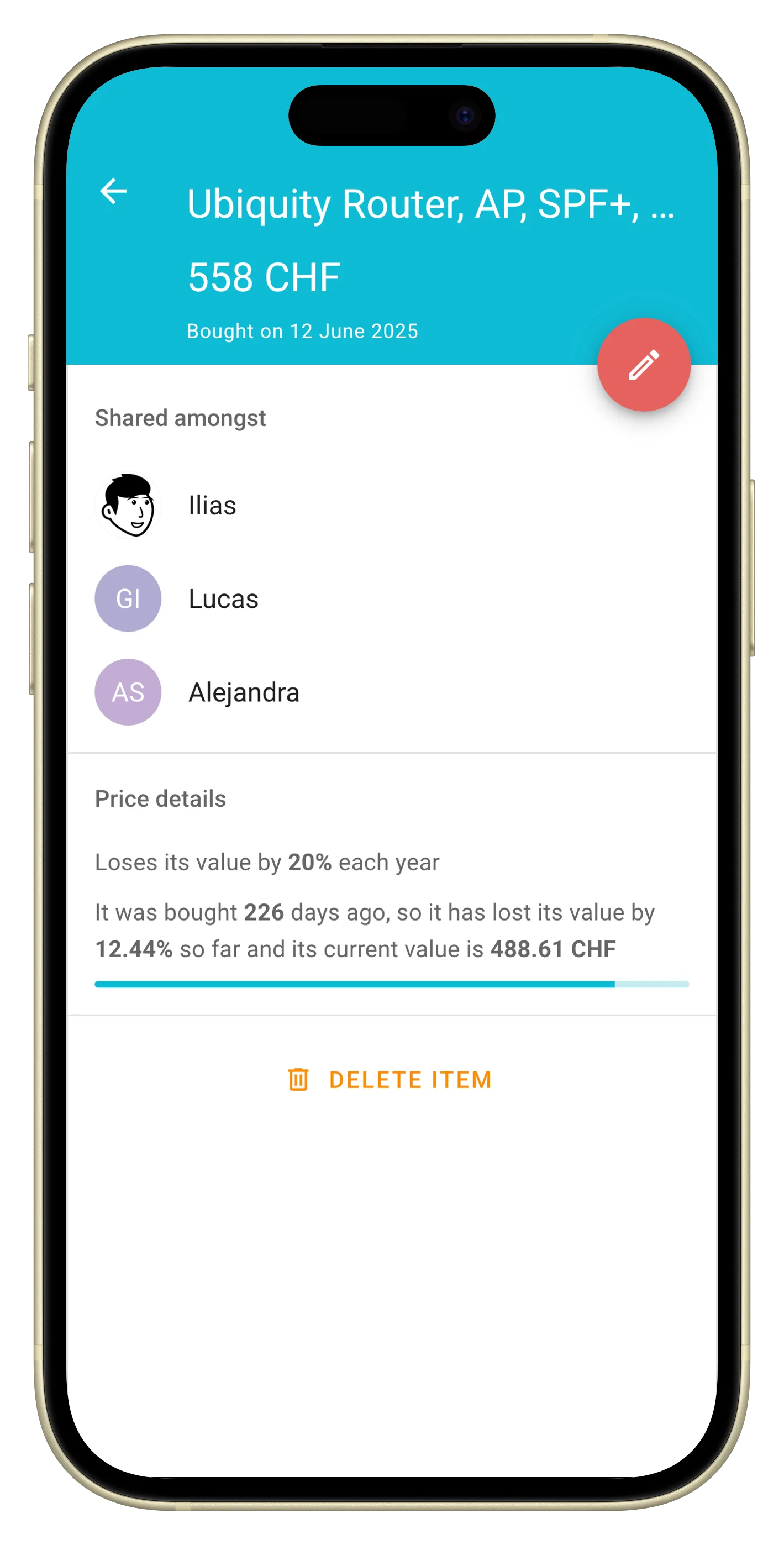
- State management and data flow with Vuex and persisting shared state with Firestore
- Designing data models for multi-user access
- OAuth-based authentication flows via the Firebase SDK
- Writing Firebase Security Rules to ensure users could only access data they were authorized to see
I learned far more by shipping and maintaining this app than I would have by following tutorials alone. It pushed me beyond “just frontend” and forced me to think about authentication, authorization, and data integrity from the start.
service cloud.firestore {
  match /databases/{database}/documents {
    match /users/{userId} {
      allow read, update, delete: if request.auth != null && request.auth.uid == userId;
    }
  }
}
Real world impact
Quiet success over seven years.
The app has been used continuously since 2019 in the same flatshare. Multiple flatmate changes handled smoothly, no disputes about money or fairness, no major rewrites, no migrations, no maintenance drama.
It has quietly done its job for over seven years, which I consider the strongest validation of the original idea and implementation.
Future work
Together with Yann Wallis we are working on a brand new app called OweYeah! that will eventually replace Flatwise.